
School management software, built in Pakistan
Run your whole school from one portal.
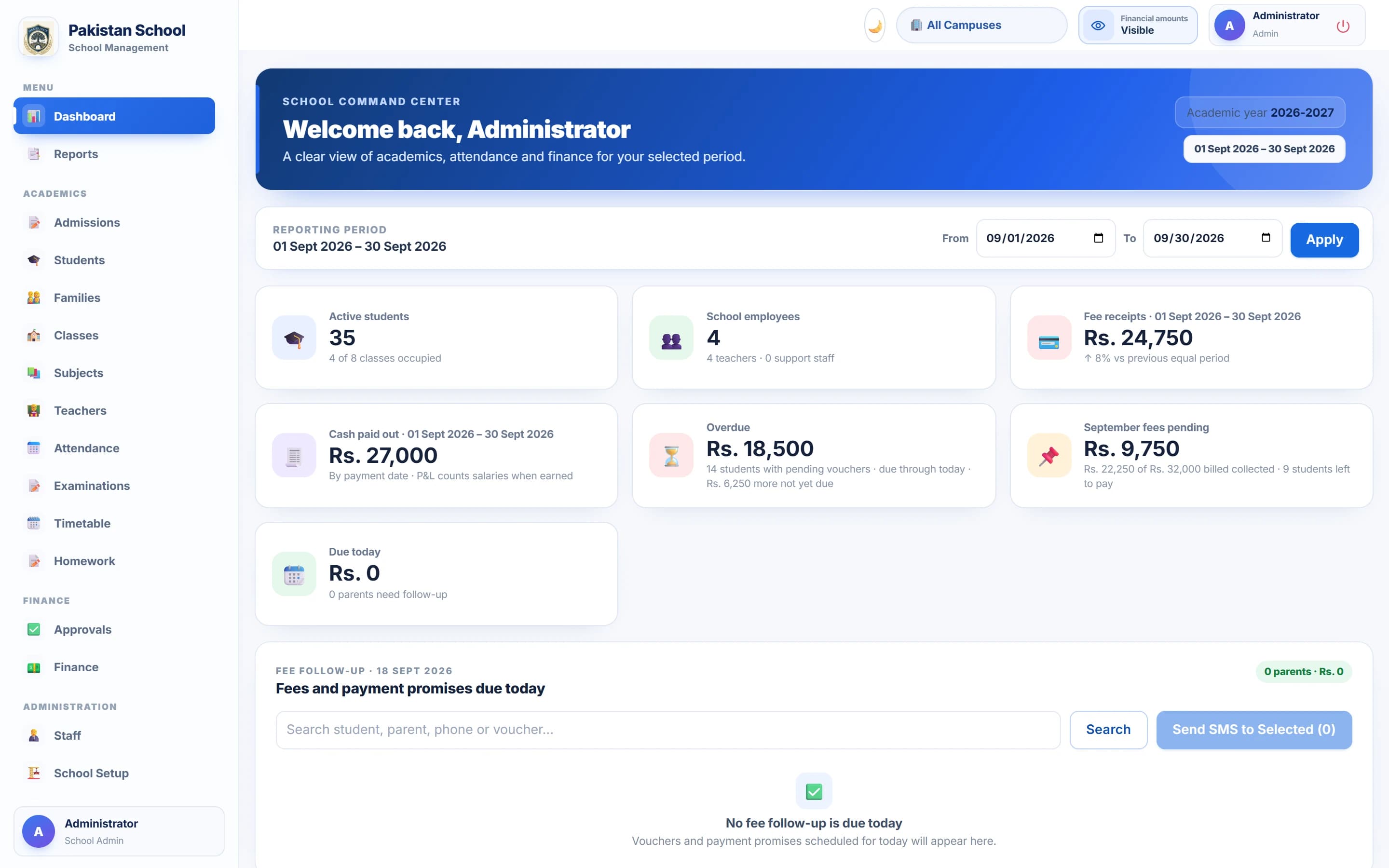
SchoolPortal.pk is school management software for Pakistani schools: admissions, fees, attendance, exams, payroll and parent messaging — with real WhatsApp vouchers and PKR challans. This is the actual product, not a mock-up.
Everything in one place
Six groups, 33 modules, zero spreadsheets.
01 / 06
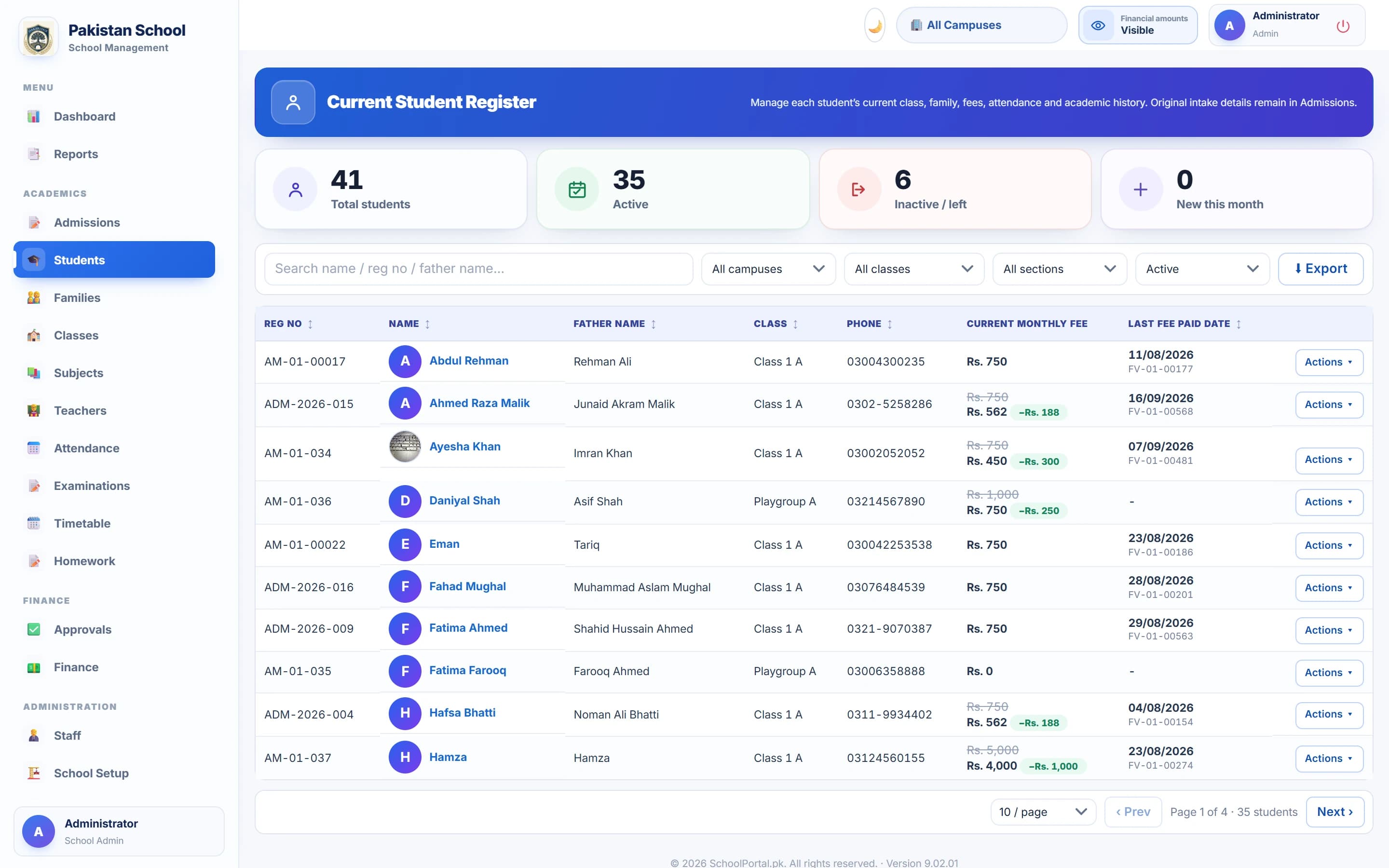
Students & Admissions
Admit a student once and everything follows: family links for siblings, class placement, fee plan, documents, attendance history and the original intake details that never get lost in a promotion or transfer.
A school day, unfolded
What a normal day looks like on SchoolPortal.
7:45
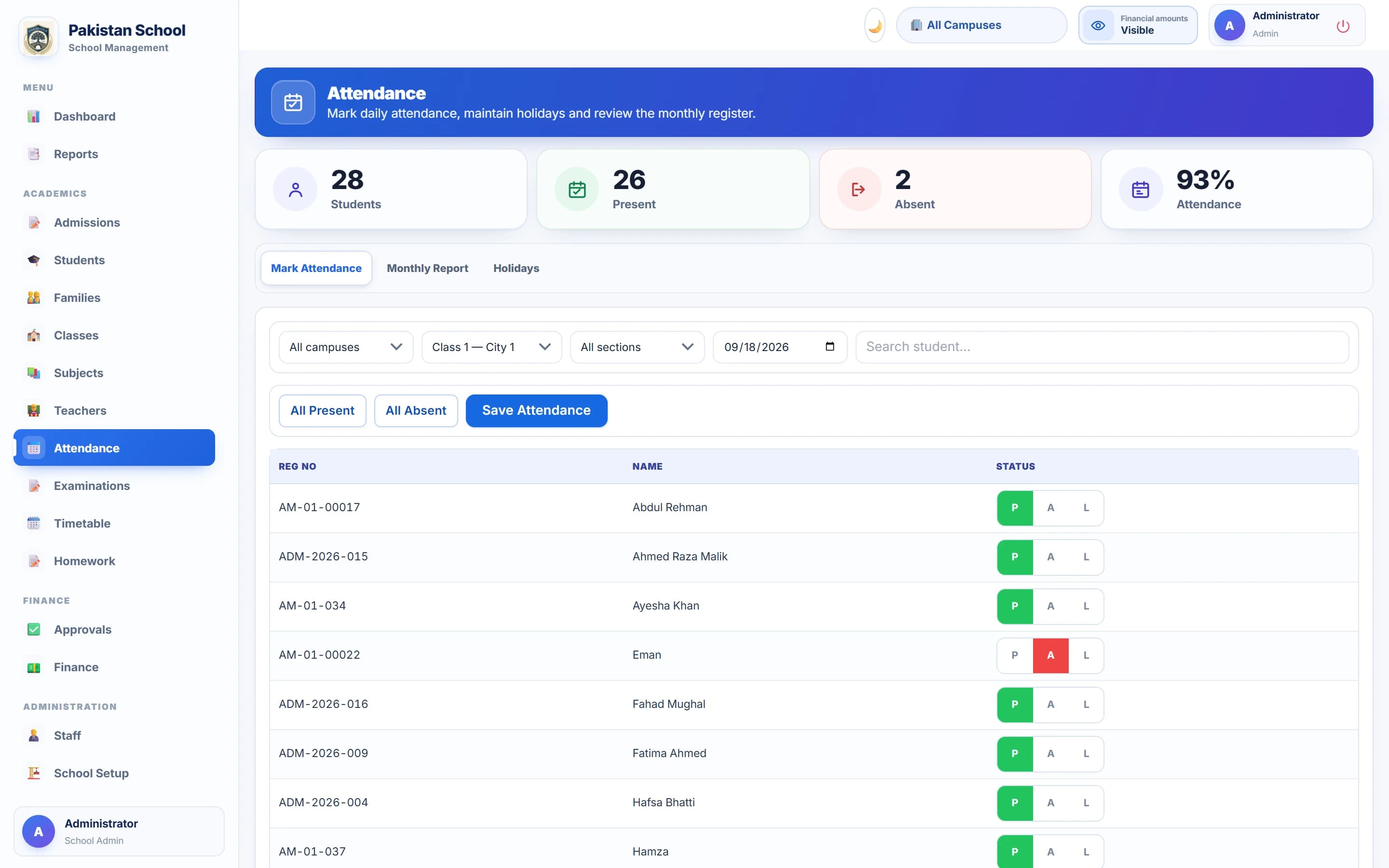
Attendance in seconds
Teachers mark the register in one tap; absentee parents get a message before assembly ends.
9:00
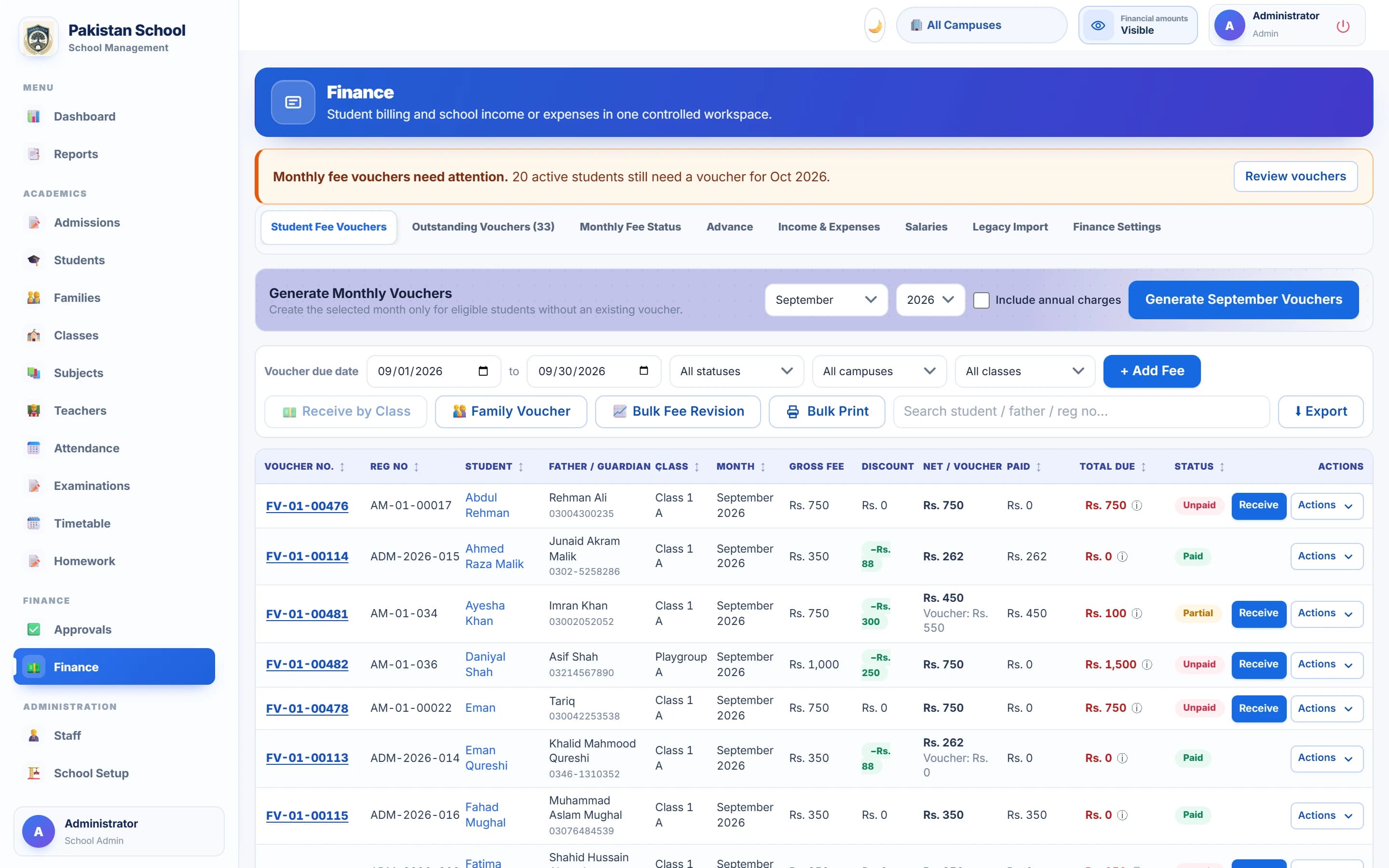
Fee received, receipt sent
The office receives a September voucher. The challan and receipt go to the parent's WhatsApp as a PDF.
11:00
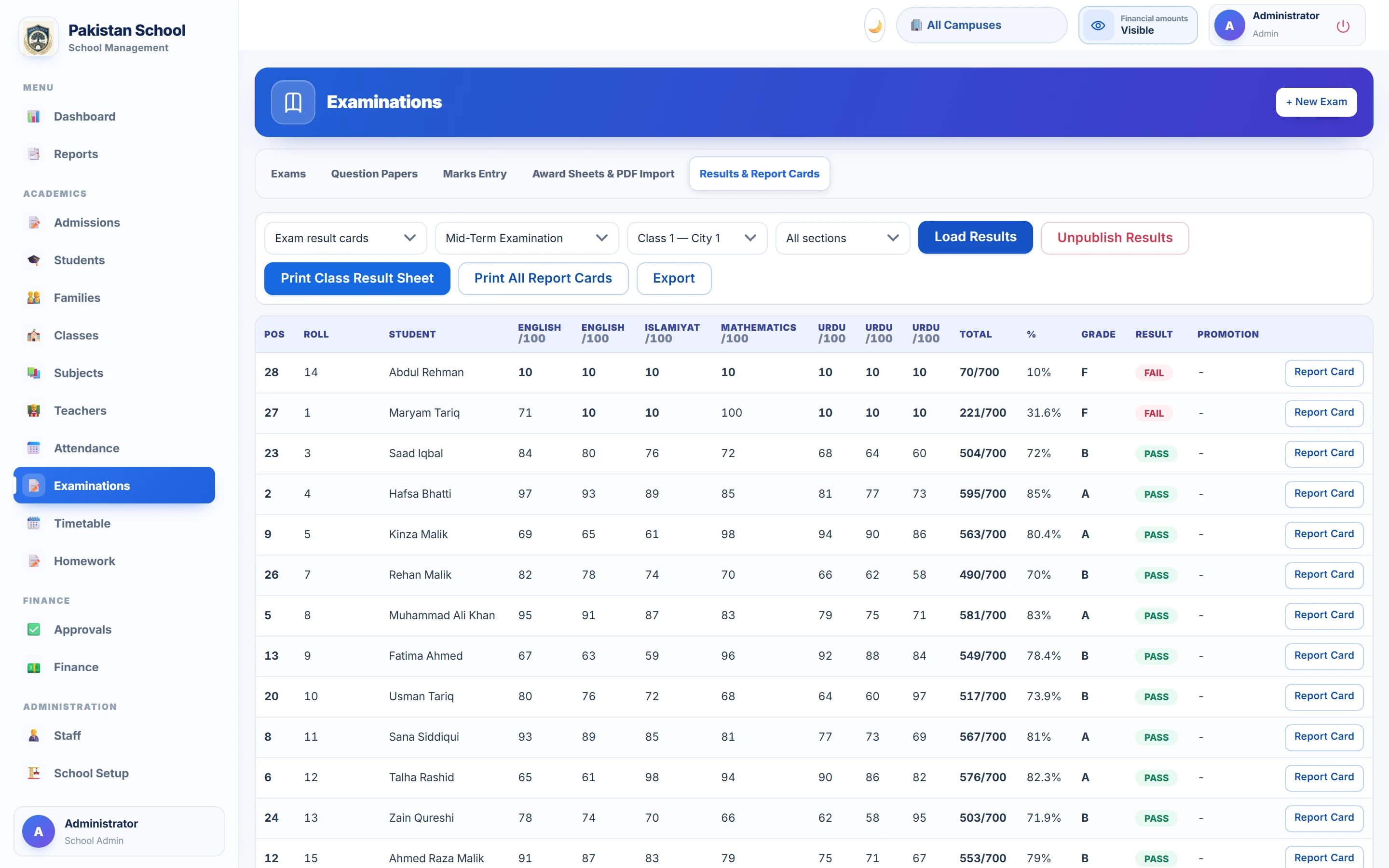
Marks in, results out
Marks typed straight into the grid; positions and grades computed; report cards published with one click.
1:00
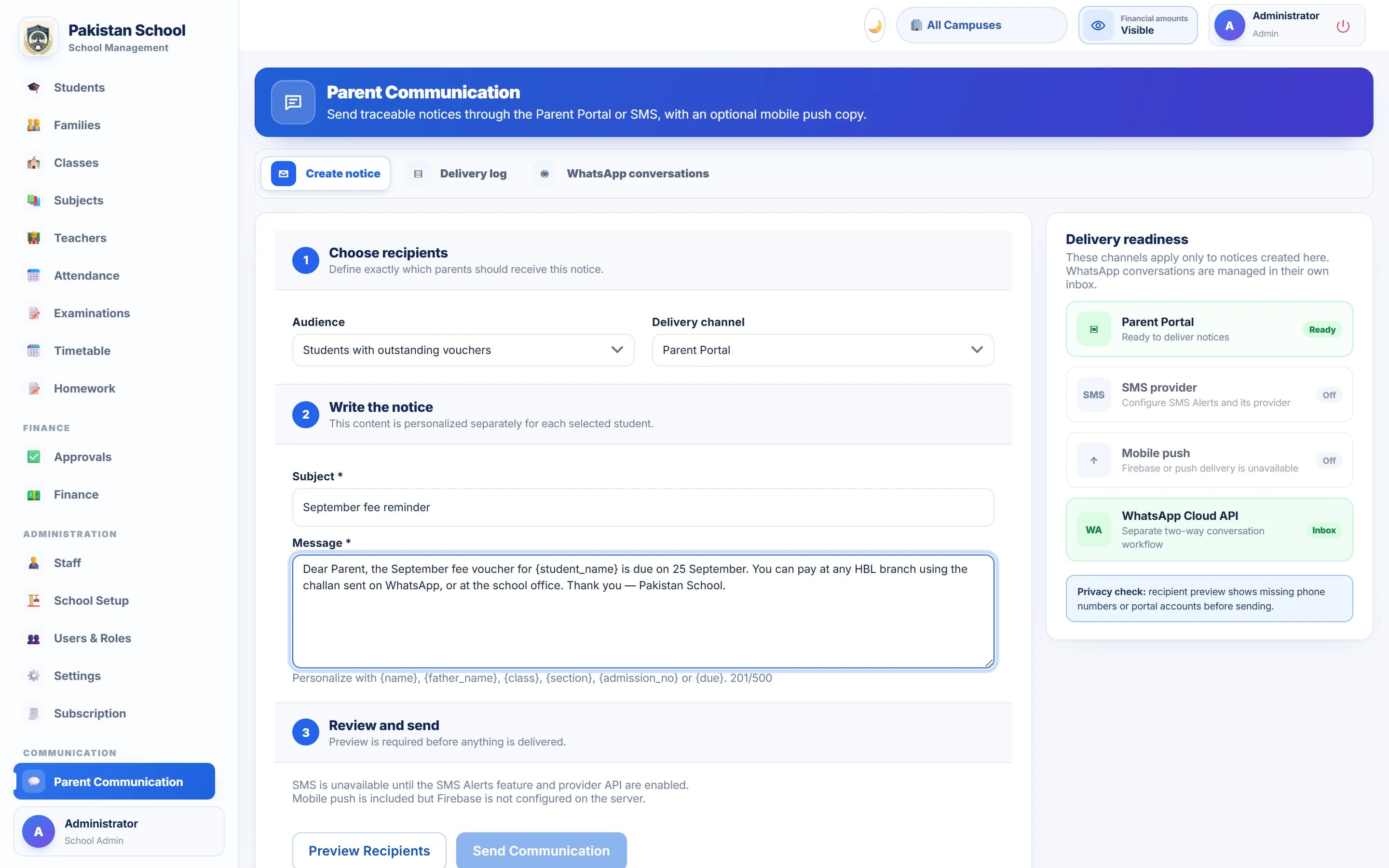
Parents in the loop
A notice goes out through the portal, SMS, push and the official WhatsApp API — and lands in the parent app.
5:00
The owner's view
Receipts, overdue, pending and today's follow-ups across every campus. Works late? So does your dashboard.
One portal, every role
Built for the people who keep a school moving.
Every campus, every rupee, one screen.
- Receipts, overdue and pending fees for any period
- Approvals for discounts, write-offs and expenses
- Profit & loss and class-wise collection reports
Try it here
Collect a fee in three clicks.
Real screens, guided steps. Four more workflows and the full live demo are one click away.
Step 1 of 4
Find the unpaid voucher
Every student's monthly voucher is one row: gross fee, discount, paid, due. Click Receive on the one being paid.
Mobile apps
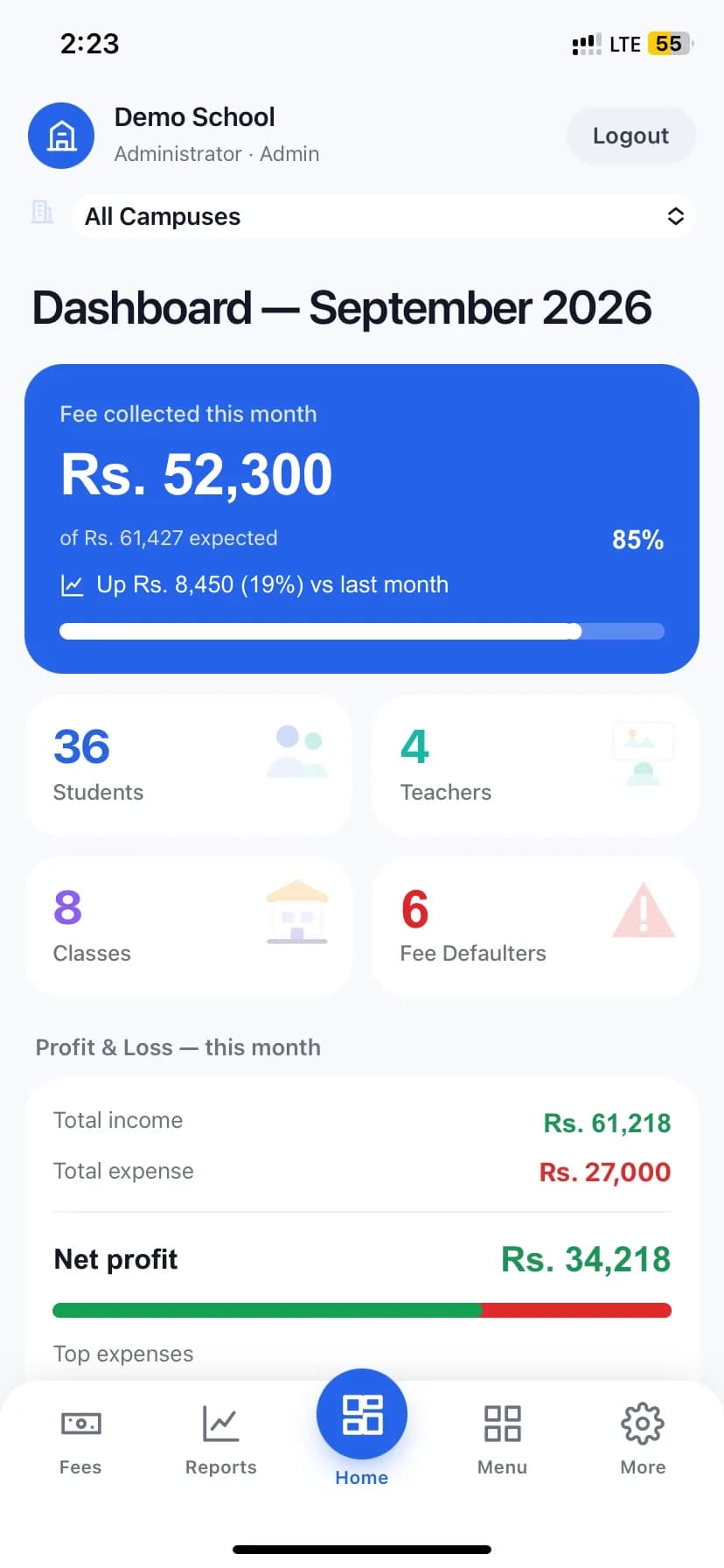
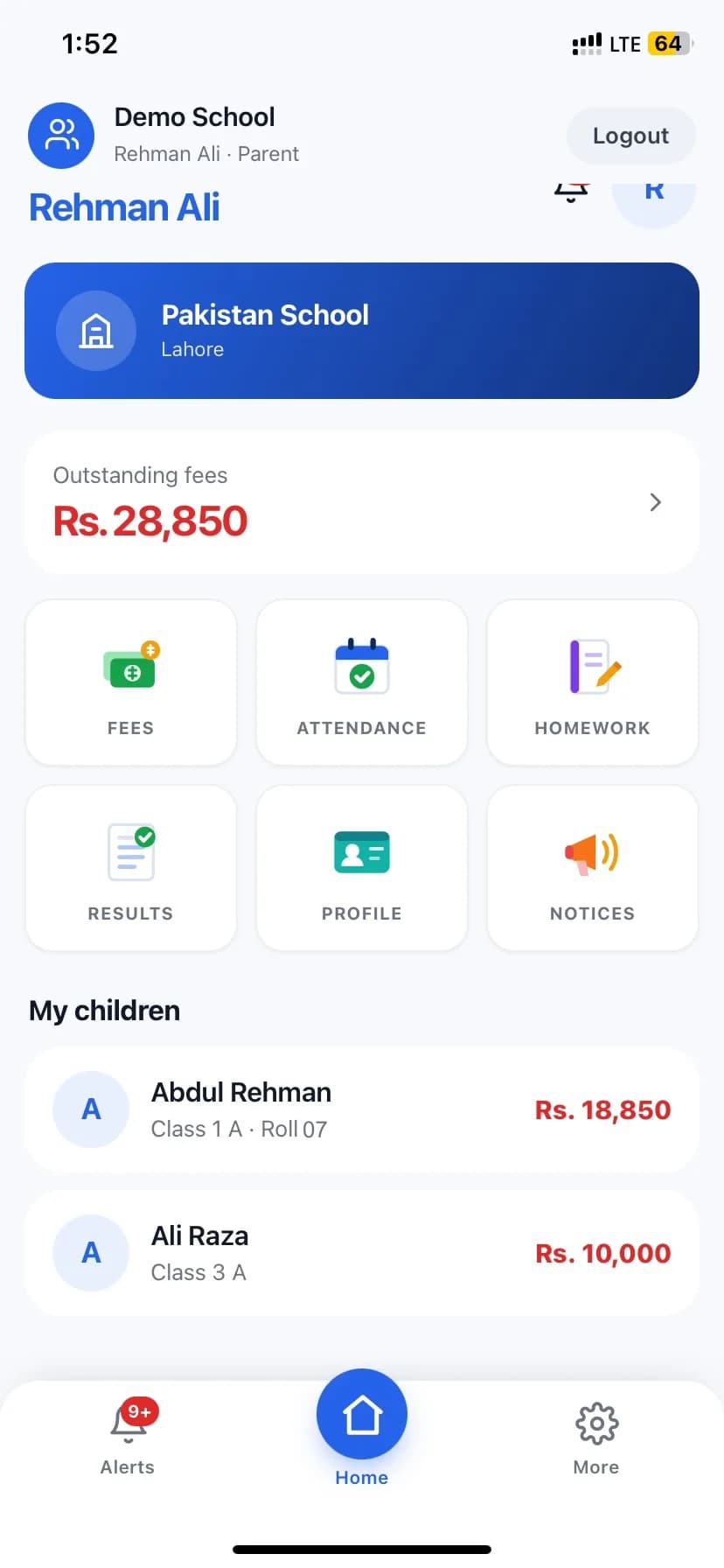
Admin, parent and student apps for iPhone and Android.
The admin app runs attendance, fees and reports from a phone. Parents and students get fees, homework, results and notices in their pocket.
Available now for early-access schools via TestFlight. App Store and Play Store listings are coming.
Admin app
Parent app
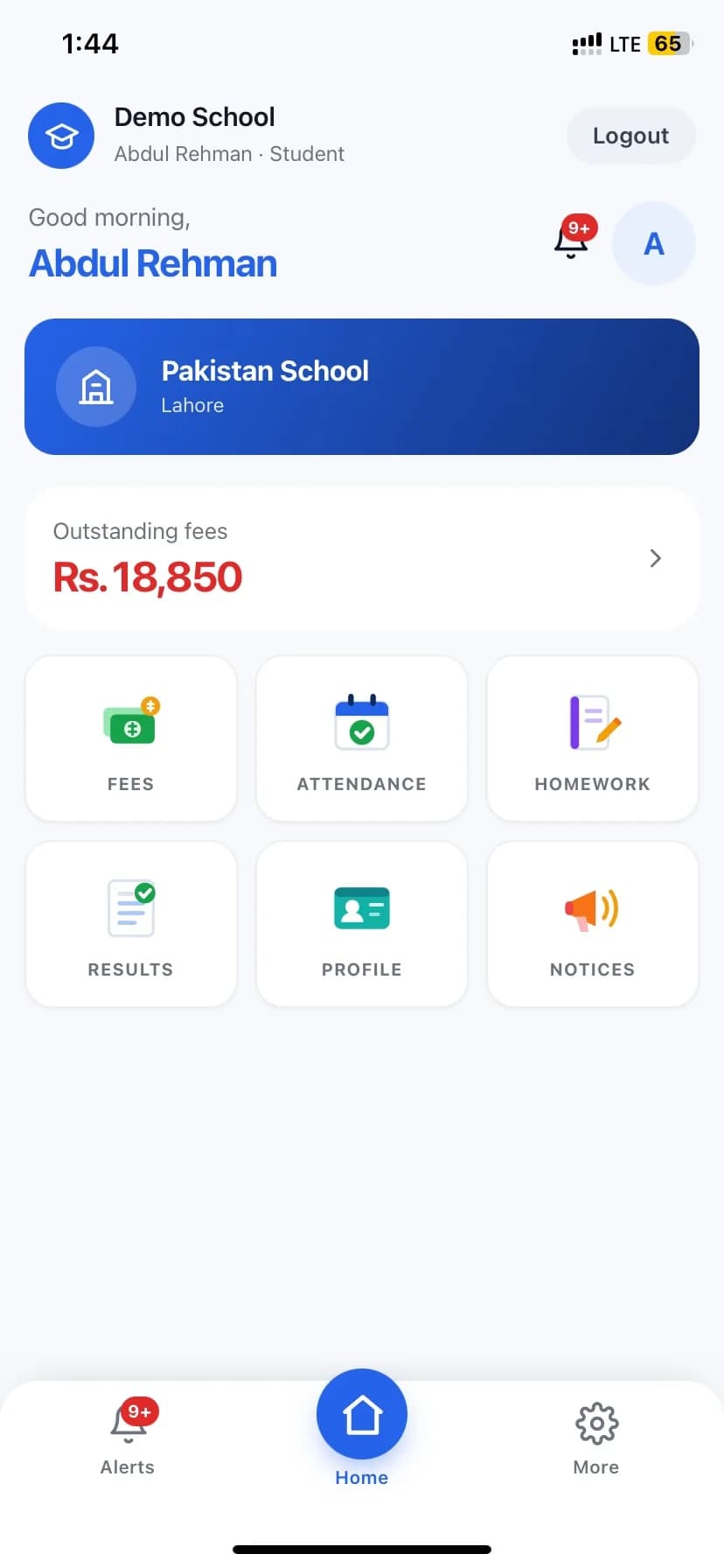
Student app
Plans
A plan for a single campus and one for a school system.
No published prices — every school is quoted on its size. Ask and we reply the same day.
Starter
Single-campus schools getting off spreadsheets.
- Students, admissions & families
- Attendance & classes
- Fee vouchers, challans & receipts
- Parent portal
- Core reports
- Most schools choose this
Growth
Schools that want exams, payroll and parent messaging in one place.
- Everything in Starter
- Examinations & report cards
- Timetable & homework
- SMS + WhatsApp communication
- Payroll, leaves & approvals
- Income & expense, P&L
Multi-Campus
School systems with several branches and an owner who wants one view.
- Everything in Growth
- Unlimited campuses
- Owner dashboards across campuses
- Advanced users & roles
- Priority support & data migration
Questions school owners ask
Straight answers.
Can we migrate our existing student and fee data?
Yes. Students, families and opening fee balances are imported from Excel, and the Finance module has a Legacy Import for previous vouchers so arrears carry over correctly. We do the first import with you.
Does it work for multiple campuses?
Yes. Each campus has its own classes, staff and fee settings, and the owner switches between campuses or sees them all on one dashboard.
How do WhatsApp and SMS notifications work, and what do they cost?
The portal connects to the official WhatsApp Cloud API and to a Pakistani SMS gateway. Fee reminders, absentee alerts, notices and result announcements go out automatically or on demand. Message costs are billed at the provider rate; we set the accounts up with you.
Can parents receive fee vouchers on WhatsApp?
Yes. A fee voucher is generated as a PDF and sent to the guardian number on WhatsApp, either for one student or for a whole class at once. The same channel carries receipts after payment, result cards and notices. Delivery is recorded against each student, so the office can see what reached whom.
Can the school send SMS to parents from the software?
Yes. The portal connects to a Pakistani SMS gateway, so fee reminders, absentee alerts and notices go to guardian numbers without anyone typing them into a phone. Messages can go to one student, a class, or every defaulter in a month, and SMS is the fallback for families who do not use WhatsApp.
What is the difference between a school management system and school operations software?
In practice they describe the same thing from two directions. "School management system" usually means the records — students, classes, fees, results. "School operations software" means the daily work those records sit inside: collecting a fee at the counter, marking a register, chasing a defaulter, paying staff. SchoolPortal.pk covers both, because a record nobody updates during the day is out of date by the evening.
Is there training and onboarding support?
Every school gets a guided setup (campuses, classes, fee structure, staff logins) and training sessions for the office and teachers. Support is on WhatsApp and phone in English and Urdu.
Who owns the data, and how is it backed up?
Your school owns its data. It is backed up daily, every login is role-based, and financial amounts can be hidden from staff who do not need them. You can export students, fees and reports to Excel at any time.
Is the portal available in Urdu?
Notices, homework and messages to parents can be written in Urdu, and the parent app shows them correctly. The admin screens are in English; this website is in both.
What happens if the internet goes down at school?
The portal is web-based, so nothing is lost: the data lives on the server, not on one computer. Attendance and fees can be entered from any phone with mobile data through the admin app.
How is pricing calculated?
A monthly subscription per school based on the plan and the number of students and campuses. Ask for a quote and we reply the same day with a figure for your school.
See SchoolPortal on your own school's data.
A 30-minute walkthrough on WhatsApp video or in person in Lahore. No commitment.